License Expired SQL Server Evaluation Edition
Maybe License Your SQL Servers#
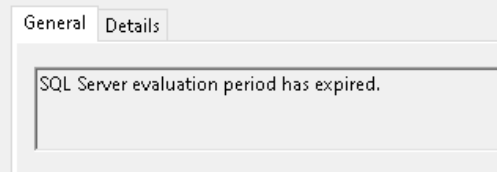
If you are reading this, you are a developer who installed SQL Server Evaluation and the 180 day window expired, OR, someone setup SQL Server with Evaluation Edition, used it in production (“we will license it later”), and then some other unsuspecting admin (me) was fairly alarmed when they did a routine service restart and SQL failed to start because that production server had never been licensed. It is definitely the first one, right?
What is wrong?#
Snarkiness aside, you probably want to know how to get SQL server up and running again. If you are like me, you went and got a legitimate SQL Server Standard Edition license key from Microsoft and attempted to do an edition upgrade using that shiny new license key. But it failed…it never is simple.
Congrats! You have discovered a catch-22 scenario where the SQL server edition upgrade wizard hangs on “Always On Availability Groups feature check” and will not let you advance.
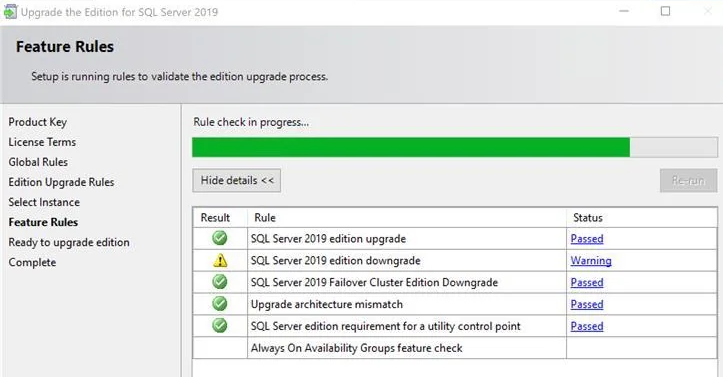
This is because that check appears to require the existing SQL server instance to be running. However, you cannot start your instance because the evaluation license expired. How fun is that! Worth the $8,361.28 you paid? Come to think of it…why not just use Postgres? But I digress…
Fix it#
You are welcome to try other workarounds such as registry hacks, setting the server’s time to the past, and other fun shenanigans, or you can do the following:
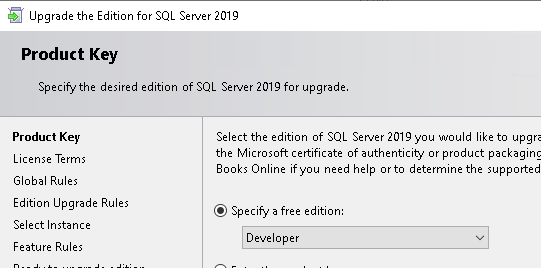
- Upgrade SQL Server to “Developer Edition” which does not run into the “Always On Availability Groups feature check” hang for whatever reason
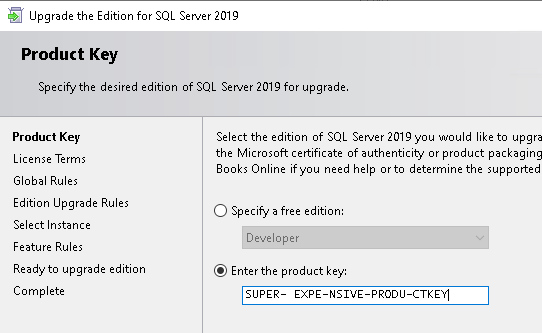
- Re-run the edition upgrade wizard, this time specifying your license key.
Conclusion#
You should hopefully now have a fully licensed and functioning SQL server. Hopefully this worked for you. If it did not, seems like the general guidance is to re-install SQL server. Just make sure you do not delete those precious MDF/LDF files :)
Resources#
https://www.reddit.com/r/SQLServer/comments/1djqua6/stuck_attempting_to_upgrade_sql_server_2019