AADSTS75011 - OpenVPN Access Server Entra SAML Fails with FIDO2 / Passkeys
Updated 08/29/26 - A support case I opened with OpenVPN’s engineers confirmed this solution. Despite multiple attempts to use other contexts like SmartcardPKI and SoftwarePKI, disabling AuthnContexts appears to be the only supported option. OpenVPN support sent me this article in reply to my case.
Problem#
OpenVPN Access Server is set up with SAML and uses Microsoft Entra (could apply to other IDPs though) for authentication.
When attempting to move to passwordless authentication for Microsoft Entra, you encounter the error “AADSTS75011: Authentication method ‘MultiFactor, Fido’ by which the user authenticated with the service doesn’t match requested authentication method ‘Password, ProtectedTransport’” after authenticating to Microsoft Entra and before being passed back to OpenVPN Access Server.
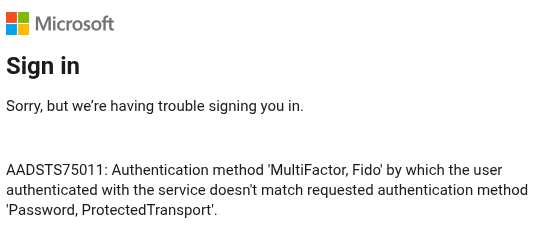
This is because the user signed in with ONLY a passkey / FIDO2 credential. If the user authenticates with their username, password, and then uses their passkey / FIDO2 credential as the MFA method, this error is not present.
Cause#
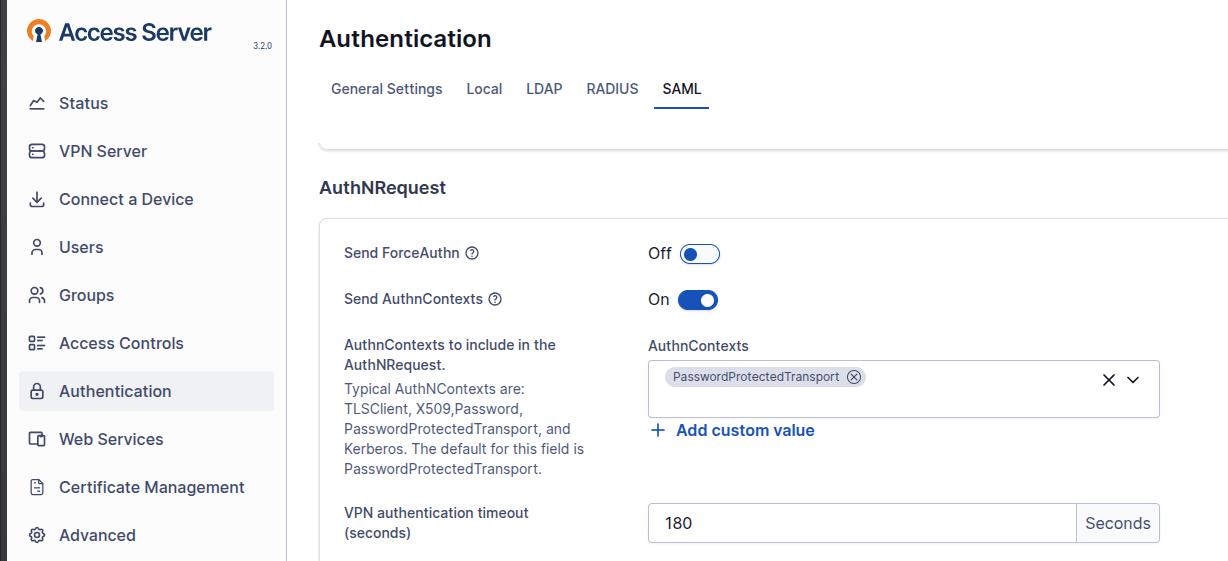
This issue is caused by the “Send AuthnContexts” checkbox under Authentication –> SAML in OpenVPN Access Server. By default, OpenVPN Access Server enables this with the “PasswordProtectedTransport” AuthnContext. This tells Microsoft Entra to authenticate only users who provided a password. The passkey / FIDO2 login flow in Microsoft Entra does not prompt the user for a password, thus SAML SSO authentication to OpenVPN Access Server fails.
Solution#
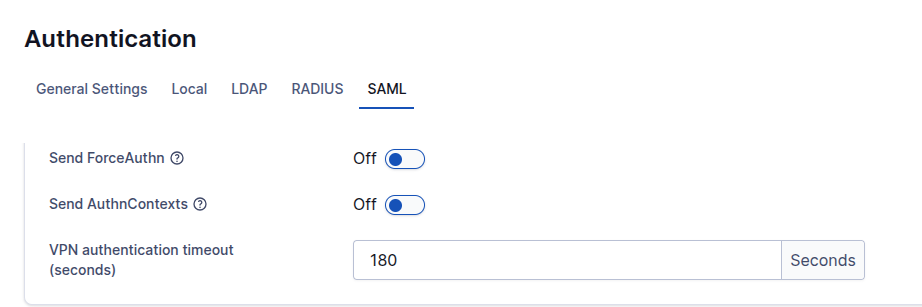
Per Microsoft’s support article on this topic, simply toggle “Send AuthnContexts” off under Authentication –> SAML on OpenVPN Access Server. Note, the screenshots are for version 3.2.0. The interface changed dramatically between v2 and v3 of OpenVPN Access Server so the path to this setting on older versions is likely different.
Note: In this case, we control both sides of the SAML exchange; the Identity Provider and the Service Provider. Since we can control the Identity Provider, it is OK to disable AuthnContexts. This may not be a good idea if you do not have control over the Identity Provider. Granted, AuthnContexts only work if the Identity Provider respects it. Make sure you understand your environment before disabling this setting.
Sources#
https://www.reddit.com/r/BookStack/comments/1l43tym/saml_errors_due_to_fido_2